



How do I use ACO’s Service Desk?
Scheduled Server Maintenance
Our service desk is temporarily unavailable due to scheduled maintenance. We will be back online as soon as possible. For urgent inquiries, please contact us directly at info@aco.net.au.
1
Welcome to Our New Support Portal
We have upgraded our help desk ticketing system to ACO 服务台
Your account and full ticket history from Jira have already been transferred.
To access the new portal for the first time, please:
2
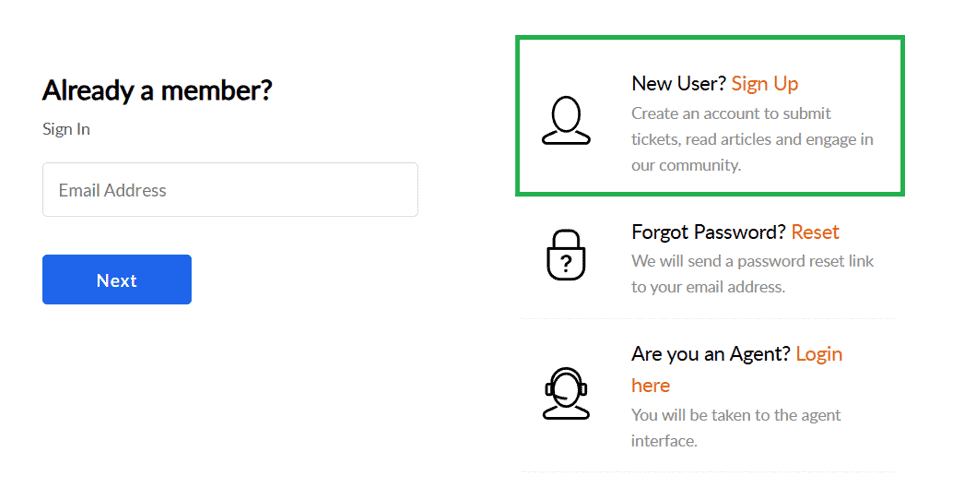
点击 注册账户 链接
3
Enter your Name and Email then click the Sign Up button
重要: If you were already registered on our old portal (Jira), please use the exact same email address to register for this service.
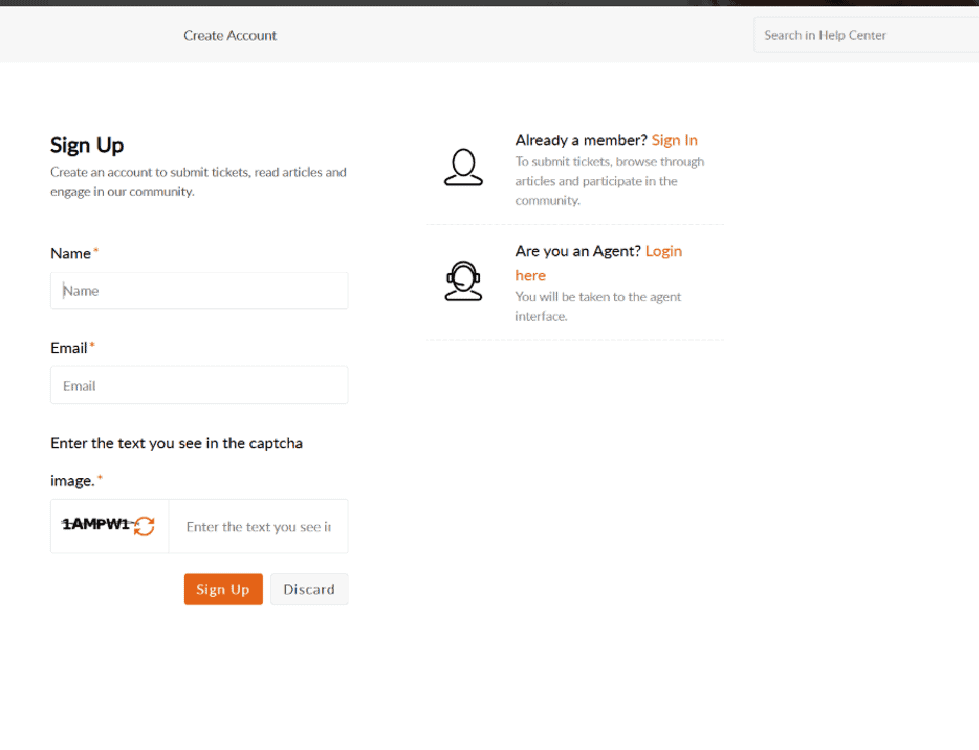
You will receive an invitation email to access the ACO Service Desk. Click Accept the Invitation and complete the authentication process. You are now ready to log in and submit your first request.
1
Go to the ACO Service Desk
2
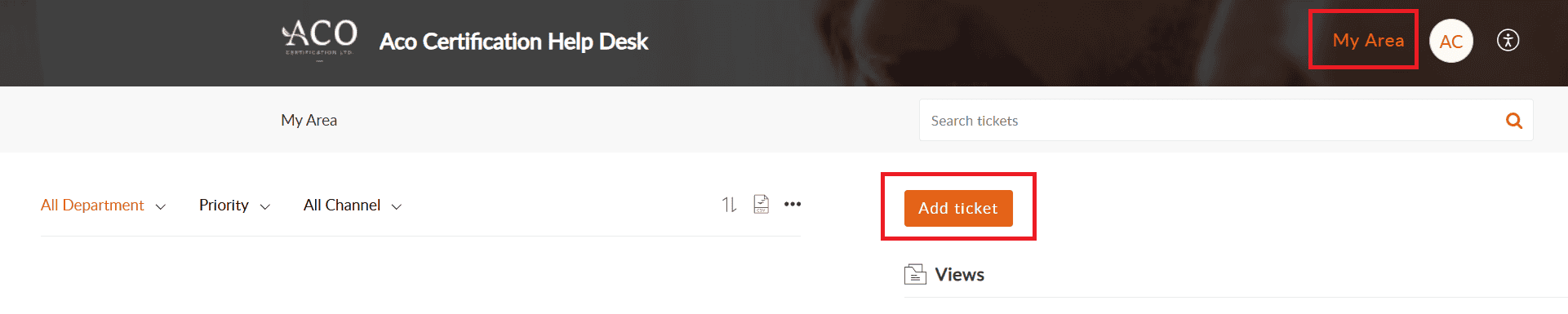
On the page that opens, Click top right “My Area” then “Add ticket“
3
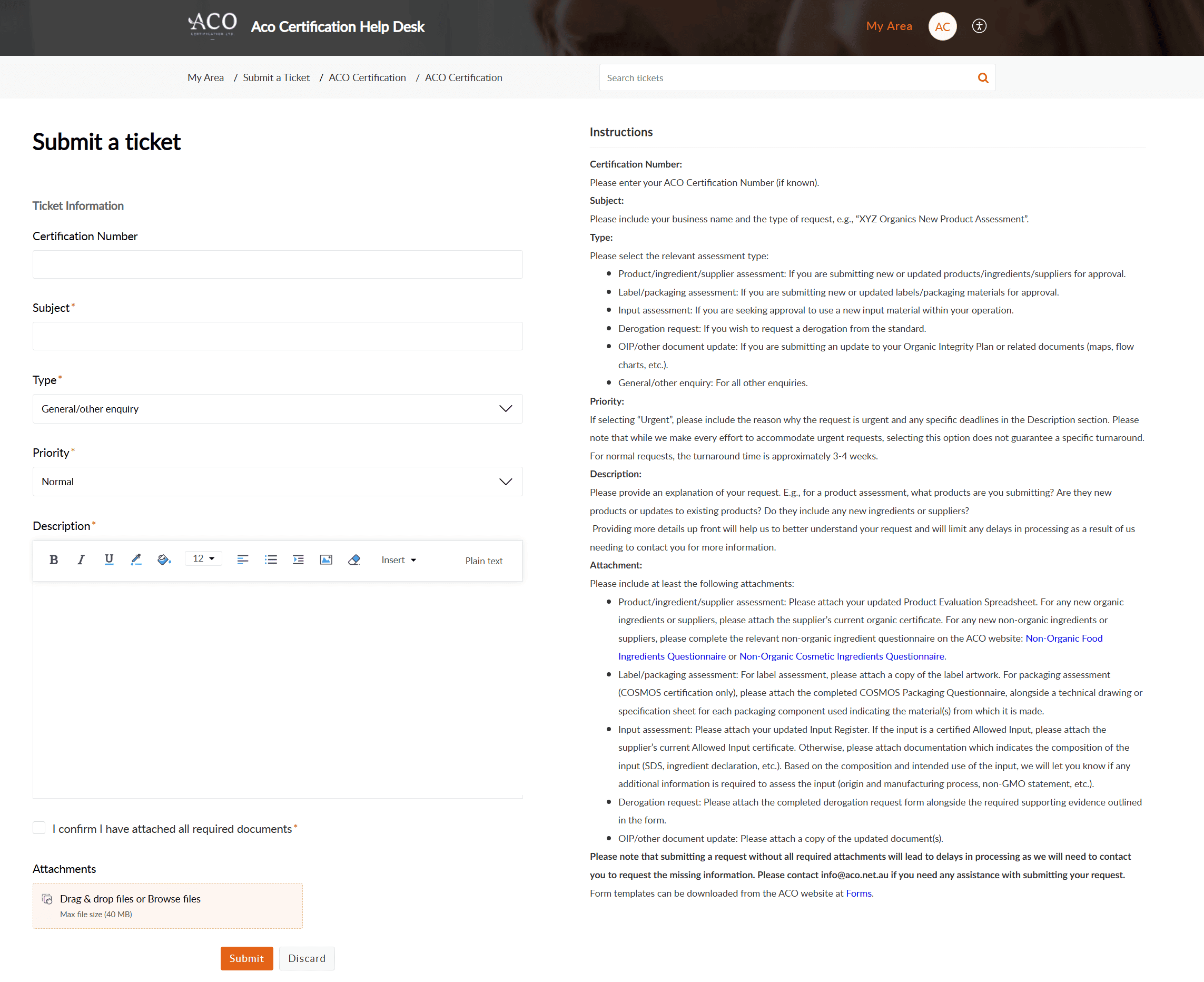
Fill in the Ticket Information form and attach any required supporting documentation (please refer to the Instructions panel for more information).
4
点击 提交 once you are ready to submit your request.
You will receive a confirmation email to let you know that your ticket has been received. If you do not receive a confirmation email within 30 minutes, please 联系我们
 English
 Chinese
 Thai