



How do I use ACO’s Service Desk to Submit Product and Label Assessments ?
1
Go to the ACO Service Desk
1
Click on the Sign up for an account link
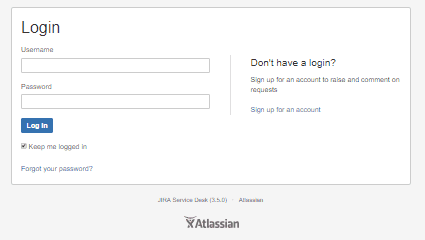
1
Enter your username and password then click the Sign Up button
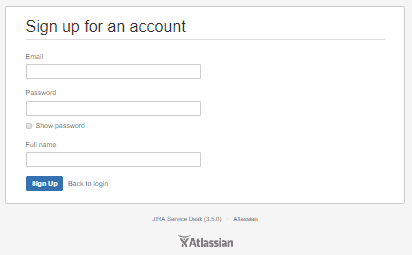
Congratulations ! You have just created your Service Desk Account. Now you can log in and submit your products and labels for assessment.
1
Go to the ACO Service Desk
2
On the page that opens, click “Request for Assessment”
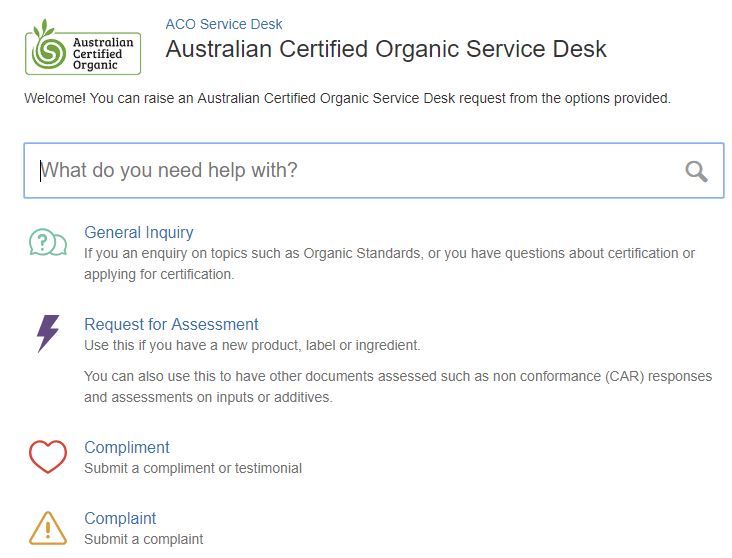
3
Fill in the details, attach your documentation, and make sure you click the box for “Labels(s) for review” or “Product(s) for review” which ever is applicable.
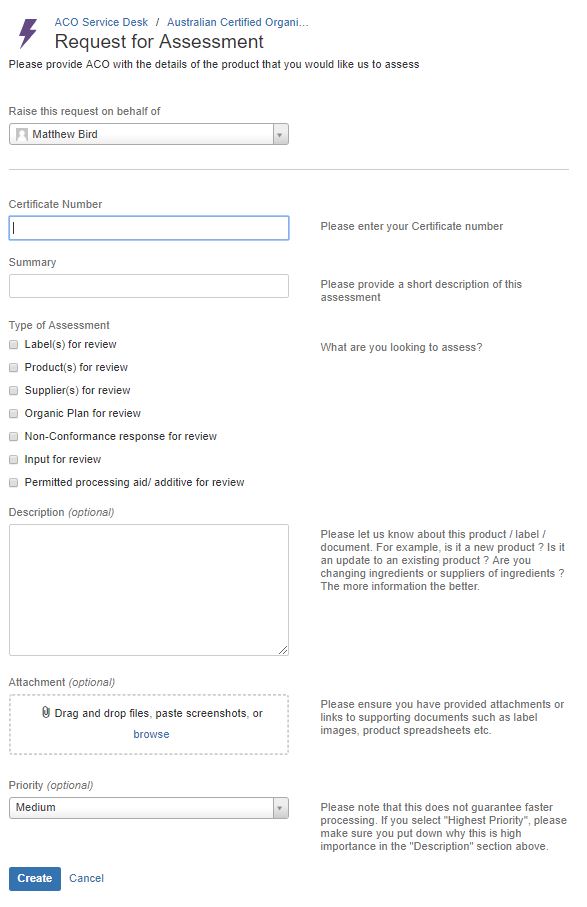
4
Click the “Create” button.
You have just submitted your new product for approval by ACO. Keep a lookout for a confirmation email. If you don’t get an email confirming your submission witing 30 minutes, then please contact us.
 English
  Chinese
  Thai
Thai